Search for employee details
The employee search feature helps you quickly find basic profile information about your colleagues, such as their email address, phone number, and other directory information.
Note: The Search option is available only for AD users.
How do I search for employee details?
- Log in to the ADSelfService Plus User Portal.
- Enter your colleague's name or other available information in the search bar located in the upper-right corner of the page.
- Click Enter or the Search icon.
Advanced search filters
You can refine your search using additional details, such as an employee's Department, SAM Account Name or Telephone number. Select the appropriate filter from the drop-down list before performing the search.
If you do not have complete information about the employee, use one of these four operators in the drop-down list: Equals, EndsWith, Contains, and StartsWith.
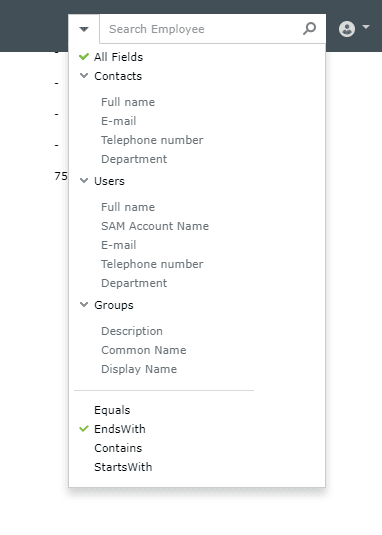
Fig 1: Refining an employee search using field filters and operators.