Subscribe to or unsubscribe from a group
ADSelfService Plus allows you to manage your membership in mail groups through a self-service process. You can subscribe to mail groups to receive emails and notifications, or unsubscribe from groups that are no longer relevant to you.
Note: The Groups tab is available only for AD users.
How do I subscribe to a mail group?
- Log in to the ADSelfService Plus User Portal and navigate to the Groups tab.
- Click Subscribe below the mail group that you want to join.
Note: If your administrator has enabled a self-service approval workflow, your subscription request must be approved before you are added to the selected mail group.
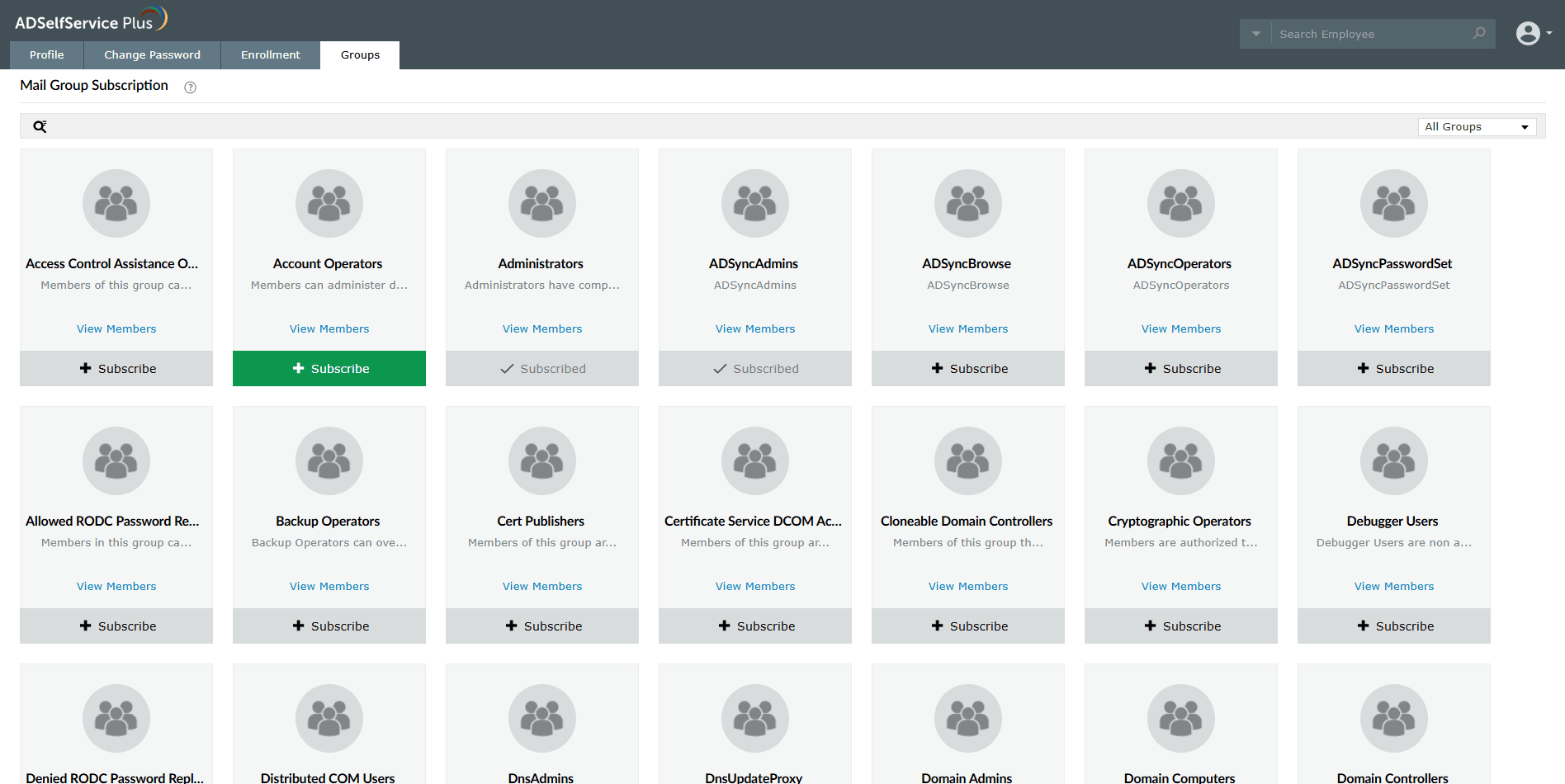
Fig 1: Subscribing to a mail group from the Groups tab.
How do I unsubscribe from a mail group?
- Log in to the ADSelfService Plus User Portal and navigate to the Groups tab.
- Click Unsubscribe below the mail group that you want to leave.
You will stop receiving emails sent to the selected mail group.
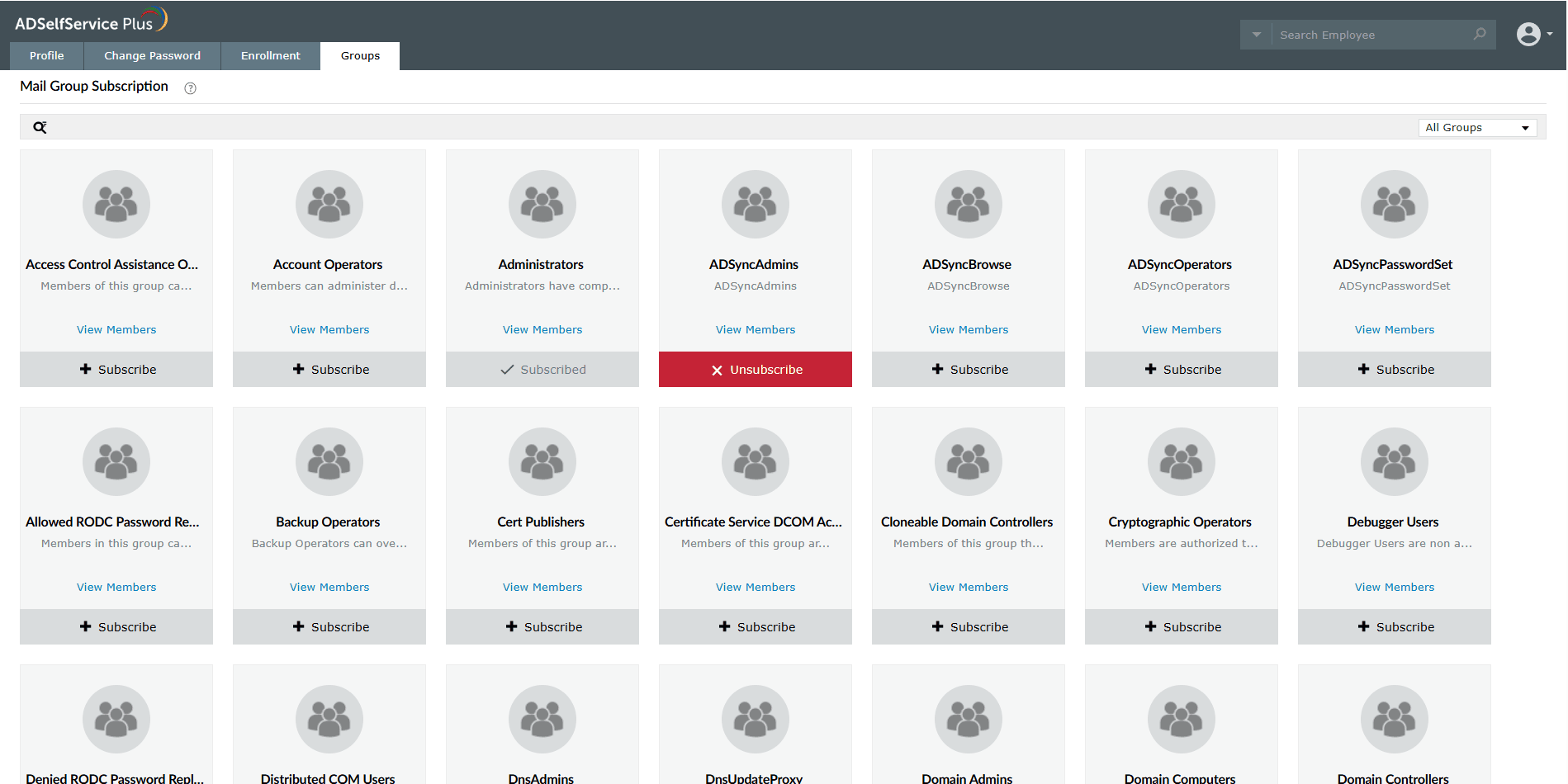
Fig 2: Unsubscribing from a mail group from the Groups tab.